Most SaaS launches do not fail on launch day. They fail in the weeks before, when the landing page is vague, the pricing page is missing and nobody is tracking signups, and in the weeks after, when the founder posts once and goes quiet.
This guide is a practical checklist for launching a SaaS product as a solo founder or small team. It is split into three parts: before launch, launch week, and after launch. Work through it in order and you will avoid the most common mistakes without needing a marketing team.
Before launch: get the foundations right
A launch sends people to your site for a short window. Everything in this section is about making sure that window is not wasted.
1. Write one clear positioning statement
Before you touch the landing page, write one sentence that answers three questions: who is it for, what problem does it solve, and why is it better than what they use today.
A useful template: "[Product] helps [specific audience] [do a specific job] without [the main pain of current options]."
If you cannot write this sentence, launching will not fix it. Talk to five potential users first. Their words for the problem are usually better than yours, and they are the words people type into search engines.
From that sentence, write the copy you will reuse everywhere during launch:
- A tagline under 60 characters
- A one-line description under 160 characters
- A 200 to 300 word description
- Five key features, each tied to a benefit
- Three to five short FAQs
Every launch platform will ask for these.
2. Build a landing page that answers questions fast
Visitors from a launch are curious but impatient. Your landing page should answer, above the fold: what it is, who it is for, and what to do next.
A simple structure that works:
- Headline: your positioning, in plain words. Avoid clever slogans that need explaining.
- Subheadline: the main outcome or the main pain you remove.
- One primary button: "Start free", "Join the waitlist" or "Try the demo". Pick one.
- A screenshot or short video of the product actually doing the job.
- Three to five features, each with a short benefit line.
- Social proof, if you have any: beta user quotes (real ones, with permission), logos of teams using it, or simply "built by" with your name and photo.
- An FAQ that handles objections: pricing, data security, cancellation, integrations.
Then check that it loads fast on a phone and that someone other than you has tested signup end to end.
3. Set up analytics before you need them
You cannot learn from a launch you did not measure. Before launch day, make sure you can answer these questions:
- How many people visited, and from which source?
- How many signed up?
- How many reached the first meaningful action in your product (created a project, connected an account, sent a first invoice)?
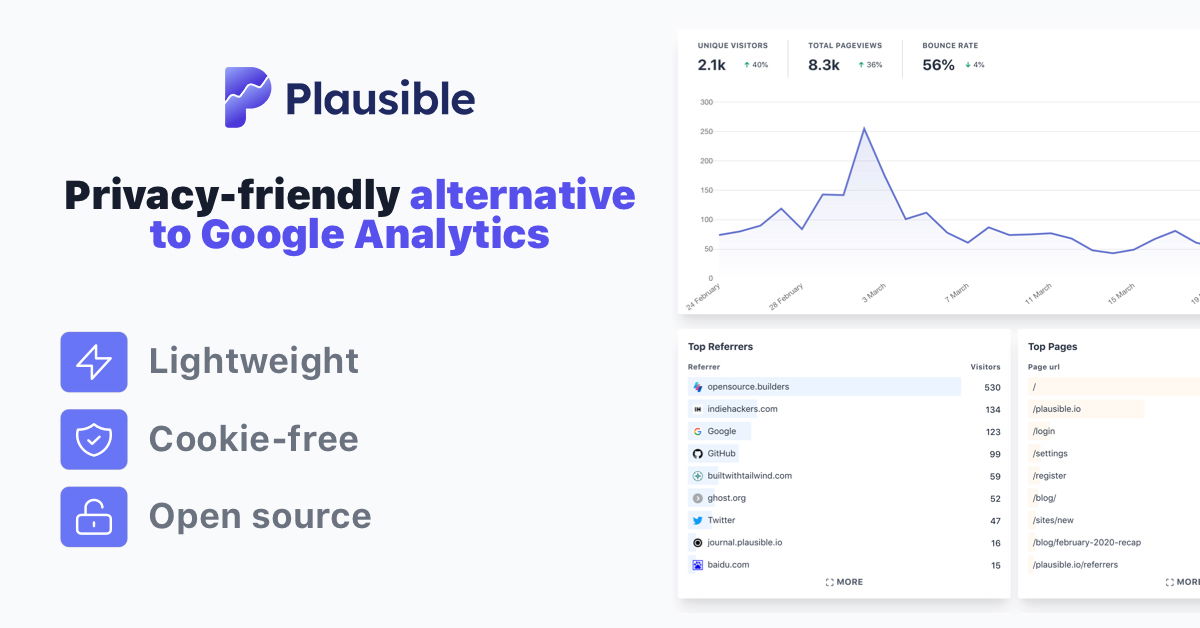
A privacy-friendly analytics tool for the site plus a few product events is enough. Add UTM parameters to links you share in specific places so you can tell which launch platform actually sent users, not just visitors.
Also set up Google Search Console and submit your sitemap. It is free, takes ten minutes, and you will want the data later for SEO.
4. Publish a real pricing page
Even if you launch with a free beta, publish a pricing page. People want to know what they are getting into before they sign up, and a missing pricing page makes a product feel unfinished.
Keep it simple:
- Two or three plans at most, with the differences clearly listed.
- A free plan or a free trial, so launch visitors can try it today.
- Clear answers on billing: monthly or yearly, cancel anytime, refunds.
You can change prices later. Early on, the goal is to remove doubt, not to optimise revenue.
5. Start a waitlist early
A waitlist turns the weeks before launch into an audience you can email on launch day. Even 50 interested people who show up, try the product and leave honest feedback make launch day very different from launching to silence.
Ways to grow it:
- Share what you are building, in public, on the platforms your audience uses.
- Post progress updates in relevant communities (with real lessons, not just announcements).
- Submit to pre-launch platforms like BetaList.
- Add a waitlist form to every page and every post.
Send waitlist members a short update every week or two, so they remember who you are when launch day comes.
6. Prepare your launch assets
Collect everything in one folder before launch week:
- Logo in square and wide formats
- One hero image and three to five screenshots
- A short demo video or GIF, if you can
- Your positioning copy from step 1
- A short founder bio and photo
- An Open Graph image, so links to your site look good when shared
Check how your links render when shared. Our free SEO tools include an Open Graph preview, a meta tags checker and a SERP preview, so you can fix titles and share images before thousands of people see them.
Launch week: where and when to post
Launch week is about focused attention, not being everywhere at once. Pick one main launch, add a few supporting ones, and be present for all of them.
Pick one main launch
Choose the platform that matches your goal and audience.
Product Hunt is the biggest launch platform. It can deliver a large spike of visitors and feedback in one day, but launch day is competitive and most attention happens in the first 24 hours. It works best if you already have an audience ready to show up. Its links are nofollow, so it helps visibility rather than SEO.
A weekly launch board gives you more time on the page and less pressure. DiscoverLaunches is one example: launching is free, the launch runs for a full week, and your product gets a permanent product page built to rank on Google and be read by AI assistants. Adding a small badge to your site makes the link dofollow, or you can pay once instead.
If you want to compare options, our guide to Product Hunt alternatives covers 15 platforms with notes on audience, cost and link type.
Post a Show HN (if it fits)
If your SaaS is technical or developer-facing, a "Show HN" post on Hacker News can bring sharp, detailed feedback. Write it like a maker talking to peers: what you built, why, how it works, and what you would like feedback on. Then stay in the thread and reply to every serious comment.
Share in the right communities
Find two or three communities where your actual buyers spend time. That might be a subreddit, a Slack or Discord group, an industry forum or a newsletter's community.
Read the rules first. Most communities dislike drive-by promotion. The posts that work tell a story ("I spent six months building X because Y kept breaking") and invite feedback, rather than asking for upvotes.
Indie Hackers is worth a post in almost any case. Founders there respond well to honest numbers and lessons.
Submit to a handful of launch directories
During launch week and the week after, submit to five to ten launch directories. Prioritise:
- Directories whose audience matches your buyers
- Dofollow links on sites with real authority
- Permanent, indexable product pages with room for a full description
Our article on the best launch directories explains how to judge them, and our free directory list shows Domain Rating and link type for the well-known ones.
Timing tips
- Launch early in the week. Weekends are quieter on most platforms.
- Do not launch the same day as a major holiday or big industry event.
- Space your launches. You cannot reply to comments on eight platforms at once.
- Block the day. Being present and replying fast matters more than any trick.
On launch day itself
- Email your waitlist with a short, direct message and one link.
- Post on your own social accounts, with a short demo clip if you have one.
- Reply to every comment and question, including critical ones.
- Fix small bugs as they come in, and say publicly that you fixed them.
- Write down every piece of feedback in one place. You will want it next week.
After launch: turn a spike into steady growth
The spike from launch day fades within days. What you do in the following weeks decides whether the launch was a one-off or the start of steady growth.
Follow up with everyone who showed up
- Email new signups personally. Ask what made them sign up and what almost stopped them.
- Reach out to users who signed up but did not reach the first meaningful action. Their answers show you where onboarding breaks.
- Thank people who commented or shared, and tell them what you changed based on their feedback.
Ask your happiest early users for a short testimonial. Real quotes from real users are more convincing than anything you write yourself.
Cover the SEO basics
Search traffic is slow to start but compounds. Get the basics right now, while the site is still small:
- Titles and meta descriptions: a unique, descriptive title on every page, under about 60 characters, and a description under about 155.
- One clear H1 per page, matching what the page is about.
- Fast pages, especially on mobile.
- A sitemap submitted in Google Search Console, and a robots.txt that does not block important pages.
- Structured data where it fits: organization, software application, FAQ.
- Pages for real searches: comparison pages ("your product vs competitor"), alternatives pages, use case pages and short guides that answer questions your buyers ask.
Our free SEO tools can check most of this in a few minutes, including a website SEO checker, a heading analyzer, a sitemap validator and a schema markup checker.
Build backlinks the steady way
A new domain has no authority, and without some links it will struggle to rank even for its own name. Good early sources:
- Launch directories with dofollow links and permanent pages
- Software review and alternatives sites, once you have users
- Guest posts or podcast appearances where you share real lessons
- Integration partners and tools you work with, who often list partners
- Your own useful content: free tools, templates and data that other sites want to reference
Avoid buying bulk link packages or "500 directories" deals. A few relevant, trusted links do far more than hundreds of weak ones. Before you count a link, check whether it is dofollow; our dofollow checker does that in one click.
Make your product visible in AI answers
More buyers now ask ChatGPT, Claude, Perplexity or Google's AI overviews for recommendations instead of scrolling search results. Those answers are built from pages the models can read and trust.
To make your product easier to mention:
- Describe your product consistently, in plain words, across your site and your listings.
- Publish clear comparison and alternatives pages that state who your product is for.
- Add an FAQ to your key pages, written as real questions and direct answers.
- Make sure AI crawlers are not blocked in your robots.txt, and consider an llms.txt file that summarises your site.
- Be listed on well-known directories and review sites, so there are several independent pages describing your product.
Our tools include a GEO / AI citation checker, an llms.txt generator and an FAQ schema generator to help with this.
Iterate on what you learned
After two to four weeks, look back at your launch:
- Which sources sent visitors who actually signed up and stayed?
- Where in onboarding did people drop off?
- What did people ask for most often?
Double down on the channels that worked, fix the biggest onboarding gap, and ship the most requested improvement. Then tell people about it. A changelog, a short update post and a relaunch on a smaller platform are all good reasons to show up again.
Launching is not a single event. Many successful SaaS products launched several times: a beta, a public launch, a big feature release. Each one is easier than the last because you have more users, more feedback and more proof.
The SaaS launch checklist at a glance
Before launch
- One-sentence positioning, plus reusable listing copy
- Landing page with one clear call to action
- Analytics, signup tracking and Search Console set up
- Pricing page published
- Waitlist growing, with regular updates
- Launch assets in one folder, share previews checked
Launch week
- One main launch, chosen for your audience and goals
- Show HN if your product is technical
- Posts in two or three relevant communities
- Five to ten launch directories, prioritising dofollow and permanent pages
- Waitlist emailed, every comment answered
After launch
- Personal follow-ups with signups
- SEO basics fixed, comparison and alternatives pages started
- Steady, relevant backlinks
- Consistent product descriptions for AI answers
- Iterate, then relaunch with the next big improvement
FAQ
FAQ