


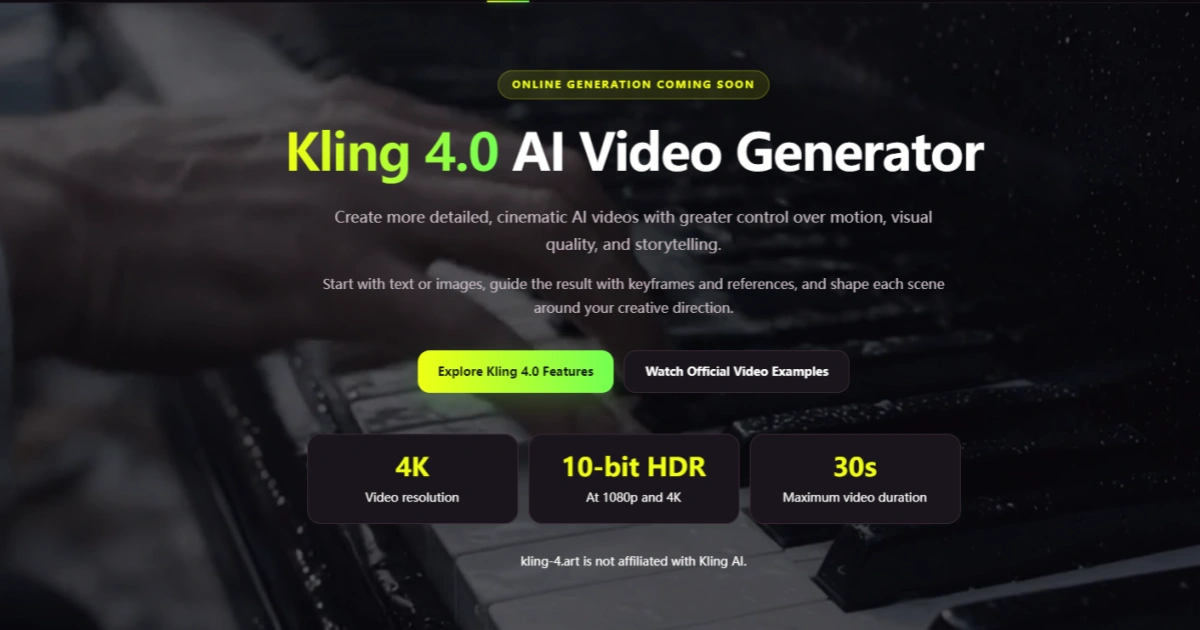
About Kling 4.0 AI Video Generator
Kling 4.0 AI Video Generator is designed for creators who want to turn ideas or images into short, cinematic clips for social, product showcases, and short-form storytelling. It is described as a multimodal video model that can generate social clips, product videos, or cinematic scenes with smooth motion and synced sound, producing videos in the 3 to 30 second range. The tool supports generating from prompts, reference materials, or keyframes to shape the result, aiming to provide an end-to-end experience for idea-to-video creation.
A core improvement highlighted is the extended generation length. Kling 4.0 raises the maximum duration from Kling 3.0’s 15 seconds to 30 seconds, allowing creators to establish settings, depict interactions, and reach a closing moment within a single generation. The platform also introduces a timeline-based workflow with up to 10 keyframes, enabling creators to mark visual moments such as entrances, composition changes, or final close-ups. These checkpoints guide the scene’s progression and the model’s movement between moments.
The system emphasizes reference-driven control through Omni Reference, which combines images, videos, subjects, and voice styles into one task. Up to 15 reference assets can be used in total, with separate limits for each input type, enabling guidance of appearance, action, or pacing via product images, video references, and other materials. In addition to generation, Kling 4.0 offers editing capabilities that let users request targeted changes to existing videos—such as adjusting a character’s expression, background, or camera movement—while preserving the rest of the shot. An editing task can include up to five clips within a combined 30-second duration.
Technical and output details focus on motion realism, framing, and audio. Kling 4.0 seeks to improve stability during fast motion and complex camera work, supporting continuous action, tracking shots, and camera orbits. It offers 21:9 ultrawide framing and output capabilities up to 4K, with 10-bit HDR coming soon and notes to check available output settings before creating. For audio, the system provides two-channel stereo with improved lip sync and multilingual speech support, enabling dialogue, ambience, and music to support character moments or product scenes. The combination of these features aims to enable end-to-end creation from initial prompt or reference to final, edited video.
Overview
Who is it for?
Problem
Solution
What makes it unique
Use cases
- 1Create 30 Second Social Clips
- 2Storyboard With Keyframes
- 3Product Demonstration Videos
- 4Cinematic Scenes For Short Films
- 5Dialogue-Driven Short Clips
FAQ7
What durations can Kling 4.0 generate?
What inputs does Kling 4.0 accept?
Can I edit after generation?
What output formats and quality are available?
Is Kling 4.0 free to start using?
Where can I learn more or get tutorials?
What are the best Kling 4.0 AI Video Generator alternatives?
Details
- Pricing
- Freemium
- Platforms
- Web
- Built with
- Launched
- Week 51, 2026 · Nov 26, 2026
- Website
- kling-4.art
Made by

Maker · launched Kling 4.0 AI Video Generator
Discussion0
No comments yet — ask the maker something.
Similar products
Aura++
Launch your product with one click. Get featured, earn badges, receive a high-qu
1▲ 13AI, SaaS, Marketing
SEOBot
fully autonomous "SEO Robot" with AI agents for Busy Founders
3▲ 12AI, Marketing, SaaS

Viston AI
Experience live AI demonstrations and enterprise-grade AI solutions that deliver
0▲ 5AI, SaaS, Marketing
Profilfoto KI
KI Profilfoto online – First photo kostenlos testen
0▲ 3AI, SaaS, Marketing
Compare Kling 4.0 AI Video Generator
All alternatives →Kling 4.0 AI Video Generator vs Viston AIBoth in AI, SaaS, MarketingK Kling 4.0 AI Video Generator vs DevHuntBoth in AI, SaaS, Marketing