


LinkToText
Live this weekFree Instagram Transcript Generator — Reels to Text

About LinkToText
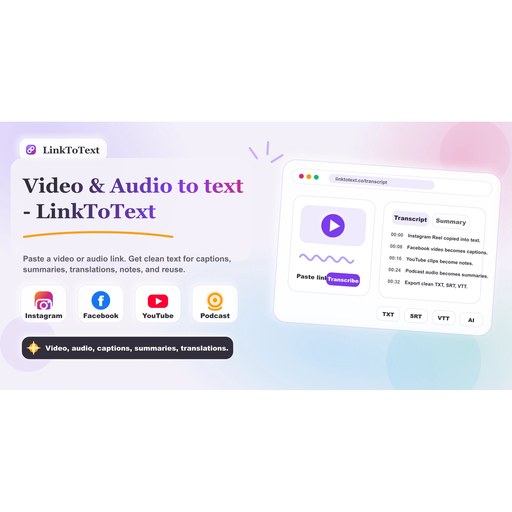
LinkToText is a web-based transcript generator that turns public Instagram video links into editable transcripts with timestamps. It operates without requiring video downloads or extensions, and it focuses on making transcripts ready for captions, subtitles, summaries, and repurposed content. By starting from a public Reel or video URL, users can generate a searchable, reviewable transcript that preserves the flow of spoken words and keeps context through timestamps.
The product targets creators, marketers, researchers, and editors who need accurate text derived from Instagram videos where the spoken content matters more than the video file itself. It is designed to handle multilingual needs by offering transcripts in more than 50 languages and enabling translations for localized captions, subtitles, and international workflows. The workflow emphasizes simplicity: paste a public Instagram link, generate text, review the result, and copy or export for downstream use.
How it works is straightforward: copy a Reel or video post URL, paste it into LinkToText, and receive a clean transcript derived from the public content. The transcript is structured to be easy to review, search, and edit, with a focus on preserving timestamp context for caption drafts, SRT/VTT timing, and editing notes. The tool supports multiple export paths, including formats suitable for captioning, notes, and AI prompts, and it enables users to pull hooks, claims, and examples from the transcript for repurposing without rewatching the original video.
Key features reflect common user needs: free access with no signup friction, URL-based transcription from public sources, timestamps embedded in the transcript, and the ability to translate and summarize. The transcript is intended to be easy to copy into TXT documents, editors, spreadsheets, subtitle tools, or team workflows. The service also emphasizes accuracy in identifying creator names, brand terms, accents, and potential audio overlap to improve the reliability of quotes and captions. What differentiates LinkToText is its focus on transforming public-reel content into a reusable, searchable text asset that can seed captions, scripts, briefs, posts, and AI-driven summaries, all starting from a simple Instagram link.
Overview
Who is it for?
Problem
Solution
What makes it unique
Use cases
FAQ7
What sources does LinkToText use for transcripts?
Do I need to install anything to use LinkToText?
Can I export transcripts as SRT or TXT files?
Is there a free tier?
Does it work with non-Instagram videos?
Can I translate transcripts into other languages?
What are the best LinkToText alternatives?
Details
- Pricing
- Free
- Platforms
- Web
- Categories
- Built with
- Launched
- Week 44, 2026 · Oct 29, 2026
- Website
- linktotext.co
Made by
The LinkToText team
Maker · launched LinkToText
Discussion1
Maker · Oct 29
Starting from a public Reel link and keeping timestamps on the transcript is the part that matters. A flat transcript is hard to turn into captions, but timestamps give an editor a real SRT or VTT starting point without downloading the video first.
Similar products
Aura++
Launch your product with one click. Get featured, earn badges, receive a high-qu
1▲ 13AI, SaaS, Marketing
SEOBot
fully autonomous "SEO Robot" with AI agents for Busy Founders
3▲ 11AI, Marketing, SaaS

Builtbyindies
The Community Network for independent makers
3▲ 8SaaS, Marketing, Productivity

Staffcoder
Real-World Coding Challenges in a Browser IDE
1▲ 6DevTool, Productivity, AI
Compare LinkToText
All alternatives →ASBLinkToText vs BuiltbyindiesBoth in Marketing, ProductivityLSLinkToText vs StaffcoderBoth in Productivity, AILALinkToText vs AIMarket24Both in AI, ProductivityLM LinkToText vs MiniMax Music 3.0 AI Music GeneratorBoth in AI, Productivity